An easy-to-use procurement platform should help buyers and suppliers complete the tasks involved in a sourcing process: preparing a request, responding, clarifying terms, comparing proposals and negotiating. Its value becomes clear in that daily work, as well as in its feature list.
A company may have a highly capable solution yet still send RFQs by email, consolidate quotations in Excel and search through separate conversations for clarifications. When this happens, it is worth examining what makes the intended system difficult to use.
Broad software suites offer value to organisations with complex requirements. However, each company needs to assess the configuration, training and steps required for its everyday processes. The choice should start with a practical question: what does our team need to work better?
Why RFQs May Still Circulate Through Excel and Email
There can be several reasons why people use familiar tools. Preparing a request may involve too many steps, suppliers may not understand how to respond, or the team may need to transfer information manually to compare it.
The internal process may also be unclear: who prepares the requirements, where quotations should be submitted or how changes are communicated. A tool cannot make those decisions on its own.
Excel and email can still play a supporting role. Problems arise when relevant information becomes scattered and it is no longer clear which quotation is current, what has been confirmed or where the comparison can be found.
Before changing platforms, identify the task at which users leave the system and why. This helps distinguish a training need, a configuration issue or a mismatch with the actual work.
What to Check in an Easy-to-Use Procurement Platform
Preparing Clearly Structured Requests
The person responsible should be able to define what is needed, what information to request and how suppliers should submit it. An RFQ, or request for quotation, is more useful when it establishes a common scope and conditions for all participants.
During a demonstration, check how quantities, units, requirements and documents are entered. Also review how the request can be corrected and how affected suppliers are informed of changes.
Making Supplier Participation Easier
Ease of use should be assessed from both sides. Suppliers need to understand the invitation, find the documentation, identify mandatory fields and confirm that their response has been submitted.
A trial with users who are unfamiliar with the tool helps reveal ambiguous instructions. Observe where they ask for help and whether they can complete the task with the guidance available.
Comparing Proposals on a Consistent Basis
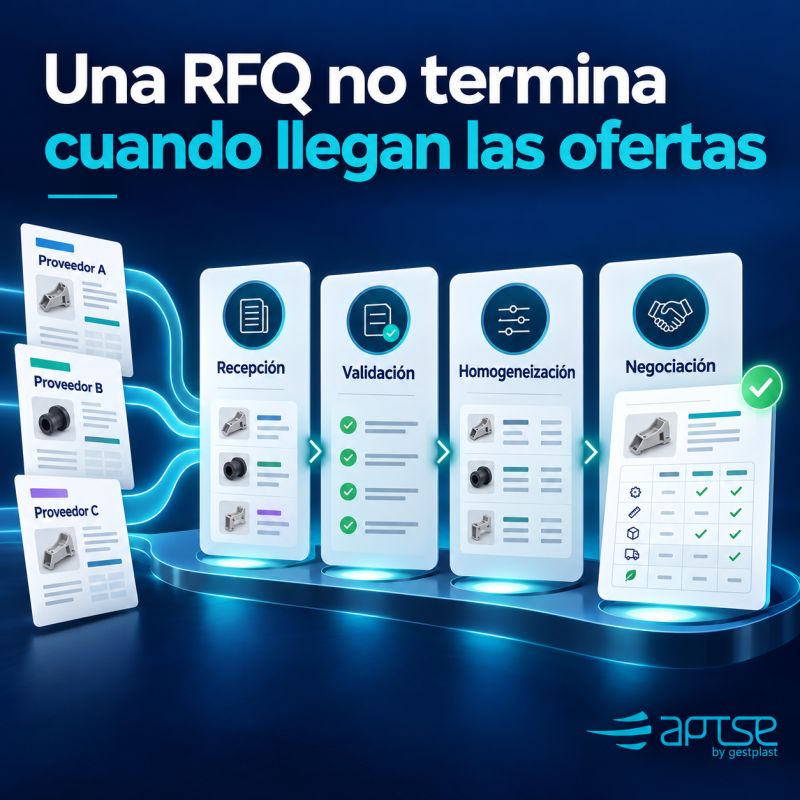
Receiving responses in the same environment makes them easier to review, but does not guarantee that they are equivalent. Scope, units, exclusions and conditions must be checked before interpreting price differences.
A useful demonstration should show how to review cost breakdowns, consult each quotation’s documents and identify missing information. Technical assessment and the purchasing decision remain the responsibility of the team.
Preparing Negotiations with the Available Information
When the process is suitable for negotiation through an electronic auction, the team needs to enter that stage with clear conditions and proposals that have already been reviewed.
Operational simplicity also means participants understand the rules, deadlines and actions required. Our guide on how to prepare an electronic auction explains the preliminary checks.
Preserving Context and Traceability
Information should remain understandable when responsibility for a purchase changes. Quotations, clarifications and decisions need to stay associated with the process and accessible to authorised people.
This connects with the importance of knowledge sharing in procurement: a platform adds value when it helps the team continue the work without reconstructing it.
A Practical Trial Before Choosing
Instead of simply touring screens, use a representative process with demonstration data. The aim is to test complete tasks and record the difficulties that arise.
| Trial task | What to observe |
|---|---|
| Prepare an RFQ | Whether the buyer can define the scope, fields and documentation without unnecessary steps |
| Respond as a supplier | Whether the supplier understands the request, completes the fields and confirms submission |
| Clarify a condition | Whether the question and response remain easy to find within the process |
| Compare two proposals | Whether the team can identify differences, exclusions and outstanding information |
| Take over the project | Whether another authorised person can locate the current quotation and next action |
The assessment can record the time spent on each task, requests for help and information that had to be copied into other files. These observations help compare alternatives under the same conditions; an isolated trial should not be turned into a general promise of savings.
How to Start with a Manageable Scope
A limited initial process helps establish whether the tool fits before its use is expanded. Choose a purchase with defined requirements, identified participants and someone responsible for monitoring progress.
- Agree the objective: for example, centralising responses and reducing the search for document versions.
- Define the workflow: who prepares, who responds, who validates and where clarifications are recorded.
- Provide brief instructions: explain to buyers and suppliers what they need to do and where to ask for help.
- Review difficulties: collect feedback on confusing steps before repeating the process.
- Expand deliberately: introduce new categories or users once the team can maintain a consistent way of working.
Ease of use is one selection criterion alongside functional requirements, permissions, support, necessary integrations and service costs. Priorities will depend on the organisation.
What APTSE Offers for Everyday Procurement Work
APTSE brings together tools to manage RFIs, RFQs and RFPs, receive and compare proposals, and negotiate through electronic auctions. It allows documentation and communications to remain within the procurement process, with access for authorised users.
Its RFQ software provides an environment for structuring requests and reviewing supplier responses. The approach is designed to facilitate both the buyer’s work and supplier participation.
The SaaS model allows users to work through their browser without installing the software or taking on its technical maintenance. Subscriptions are available from a single user, making it possible to start with a small team. Before subscribing, confirm which service option and conditions suit the intended use.
Your next RFQ can help establish what your team really needs. Request an APTSE demonstration and bring a specific process: how to prepare it, how suppliers would respond and how you would review their proposals.